
- Me gusta0
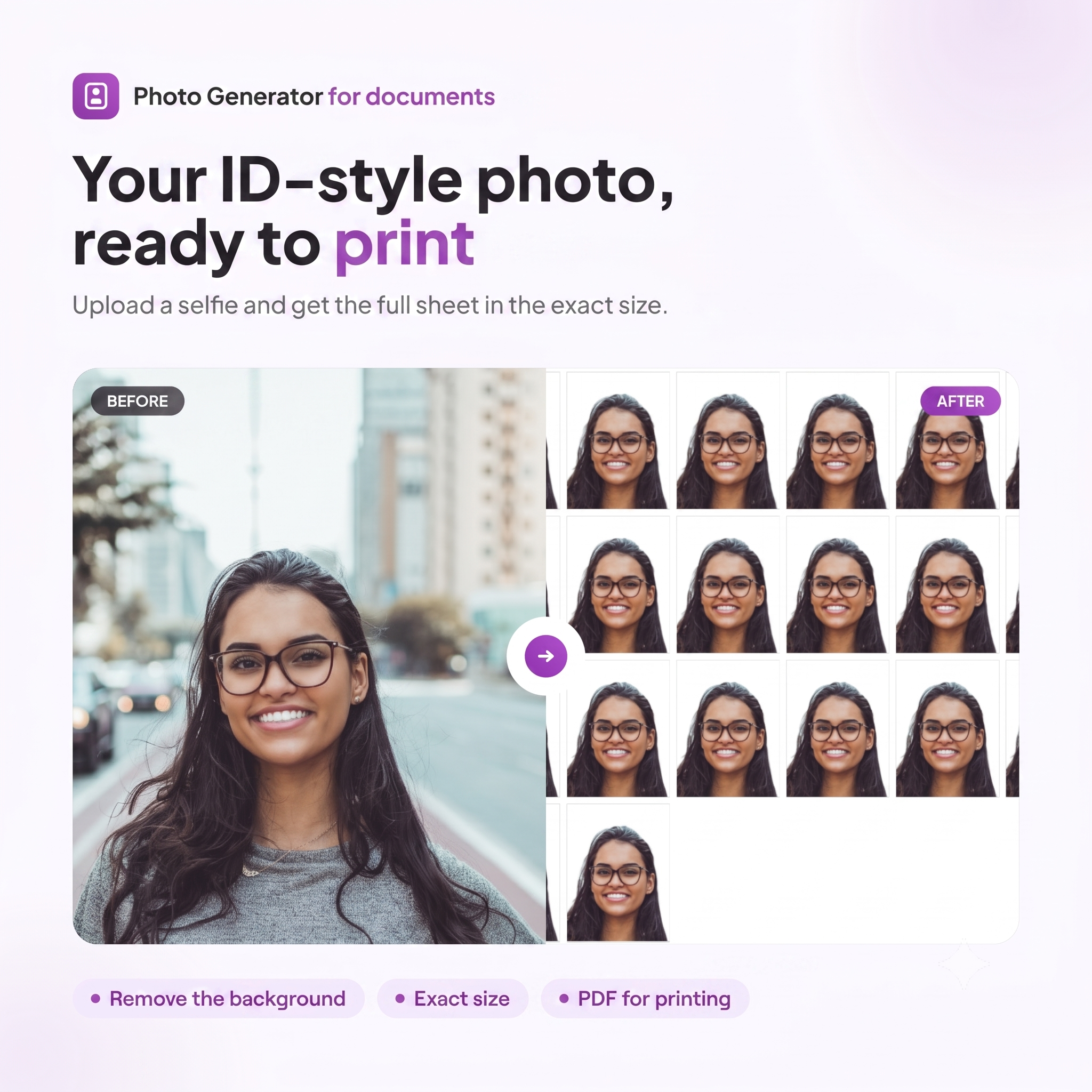
Do you need a photo for your card, passport or any other procedure and you don’t want to go to the photographer? Photo generator for documents You upload a selfie from your mobile phone or computer and get a sheet with your photos in the official size, ready to print at home.
What is it for?
It converts a regular photo into a document photo that meets standard measurements. It is ideal for:
- DNI, card and credentials (size 3×4 cm)
- Passport and international procedures (5×5 cm)
- Visas, forms and applications Calling for concrete measures
- Any document that needs a Specific color background (white or any other): the background and framing of the face are Fully configurable
How it works, step by step
- Upload your photo. Use a recent selfie with good light and a clear face.
- Choose the format. Select the size you need: type card 3×4 cm, 4×5 cm, 5×5 cm (passport) or a personalized measure.
- Adjust the framing. Move and zoom the image to center the face within the guide, or use Straighten face to align it automatically.
- Edit the result. Change the background to the color you need, tweak lighting, contrast, and saturation until perfect.
- Download the PDF. Get a sheet with your repeated photos, ready to print and crop.
Available formats
- ✅ Carnet type (3×4 cm) – the most requested
- ✅ 4×5 cm
- ✅ 5×5 cm (Passport)
- ✅ Custom – You define the measurements
Editing tools included
- 🔍 Scale and framing to center the face to the millimeter
- 📐 Straighten face automatically
- 👤 Framing type (face in foreground)
- 🎨 Configurable Background: Remove it and choose white or any other color depending on the procedure
- 💡 Lighting, contrast, and saturation adjustable
- ↺ Reset settings To start over whenever you want
Advantages of using the generator
- You save time and money: without travel or waiting.
- Guaranteed official measures: Each format respects the height of the face and the correct proportions.
- Tailor-made fund: background color and framing adapted to what each document requires.
- Ready to print: download a PDF with several copies on a single sheet.
- It works from any device: mobile, tablet or computer.
Frequently Asked Questions
Is the photo valid for official procedures? Yes, as long as you choose the right format, the right background color, and upload a sharp, front-facing, well-lit image.
Can I change the background color? Yes, you can remove the original background and choose white or the color that your procedure requires.
Can I print it at home? Yes, the result is a PDF designed to be printed on photo paper and cut easily.
Do I need to know how to edit? The process is guided: you upload, adjust and download.
Create your photo now
Your document photo ready in less than a minute. Upload your selfie, choose the background, and download your sheet to print.